
iPhone · iPad · Apple Watch · iCloud
Know where
everything is.
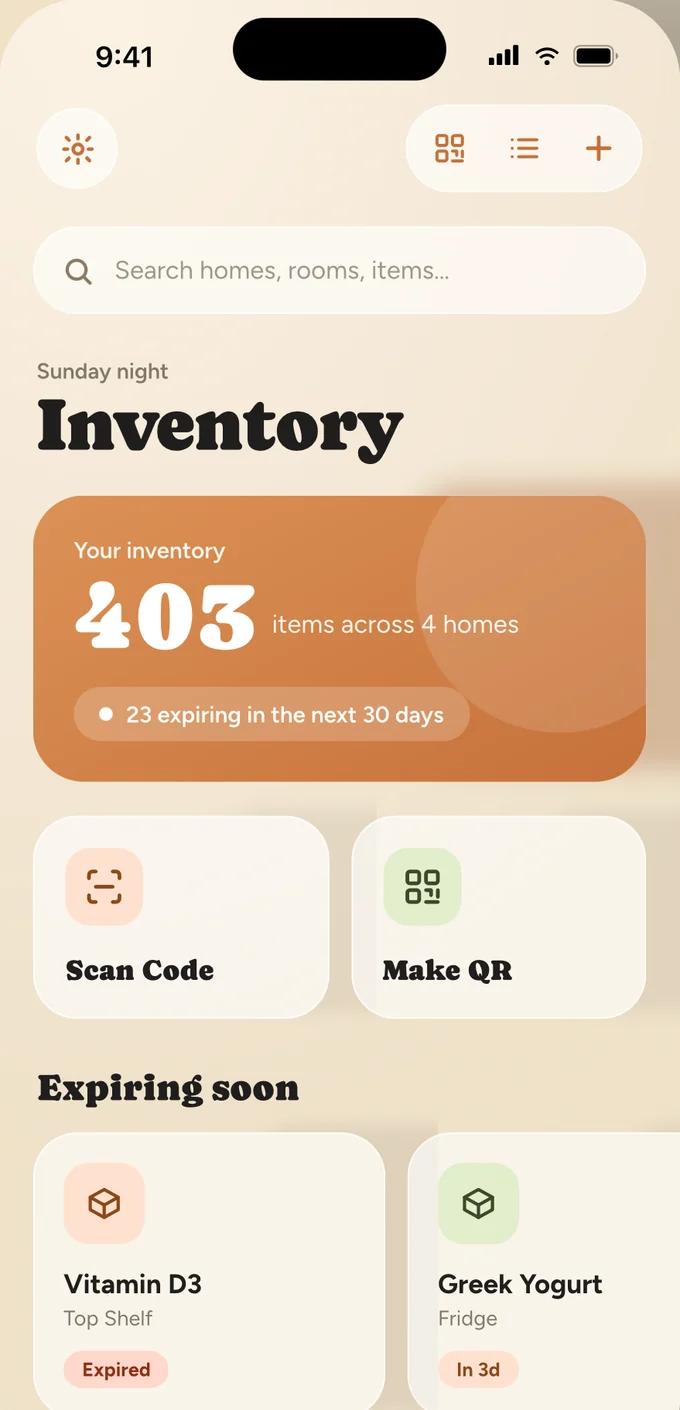
Inventory QR turns any box, shelf or drawer into something you can scan. Homes, rooms, locations, items — kept in your own iCloud, findable in one tap.
Free to start · No account required · Works offline
Your iCloud, not our server
Everything syncs through your private iCloud. There is no account to make.
Works with the lights off
Scanning, adding and searching all work offline in a cold garage.
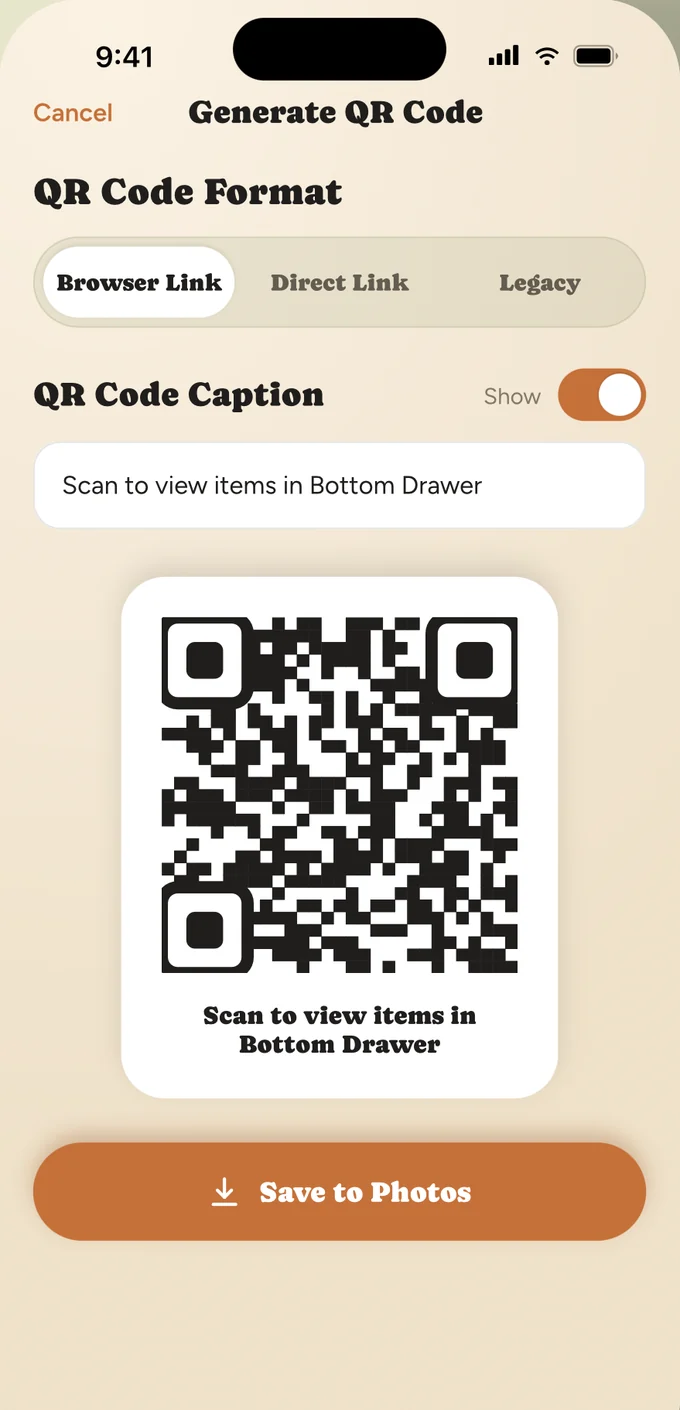
Labels you can print
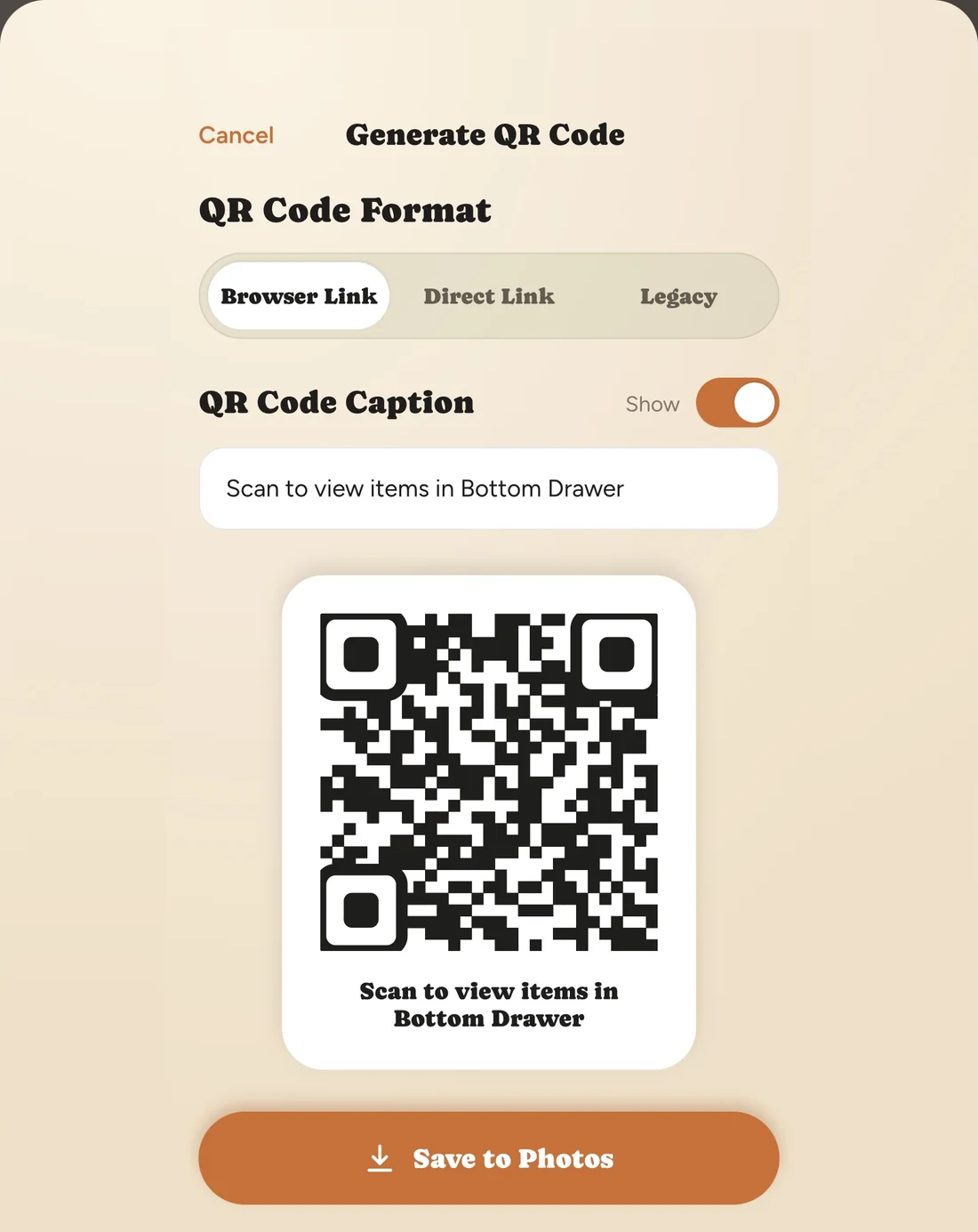
Codes save to Photos, so a sheet of stickers is a normal print job.
Free to start
One home, no trial timer. Pro only when you outgrow it.
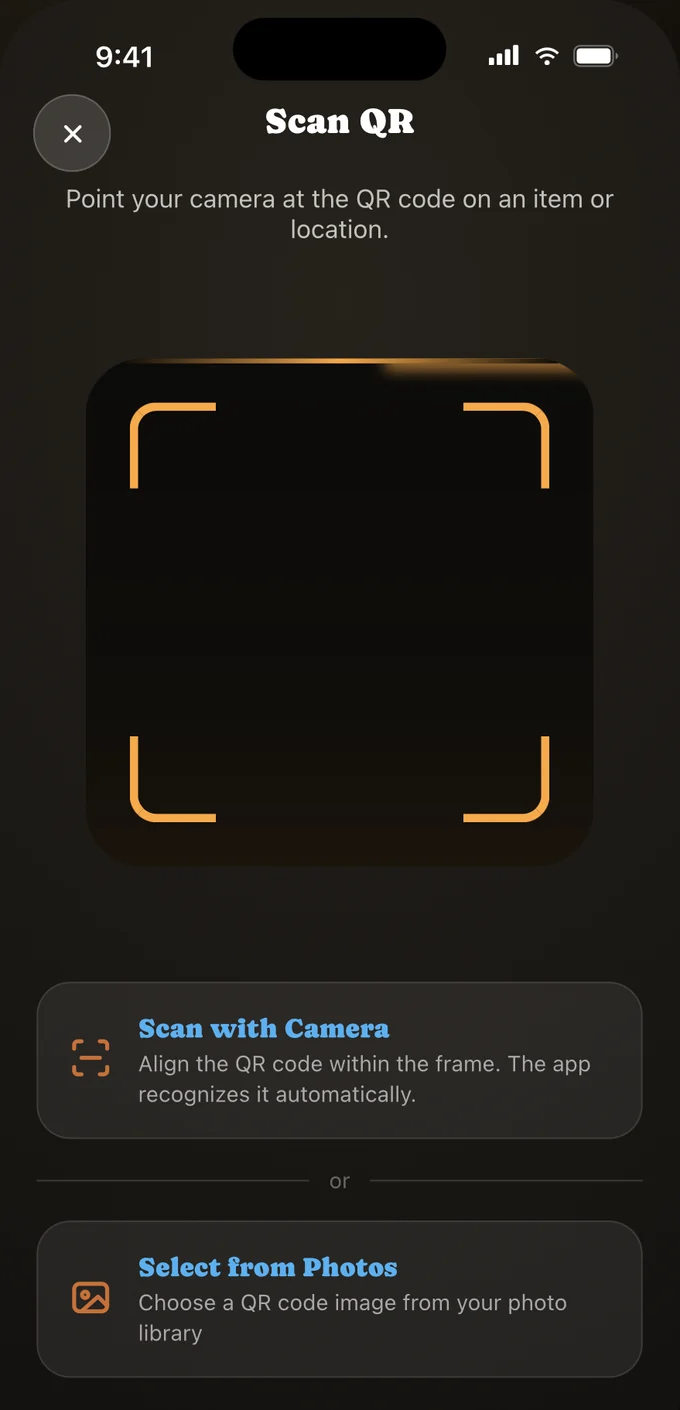
The whole app, five taps deep.
No dashboards, no set-up wizard. Open it, and you are already looking at your homes.
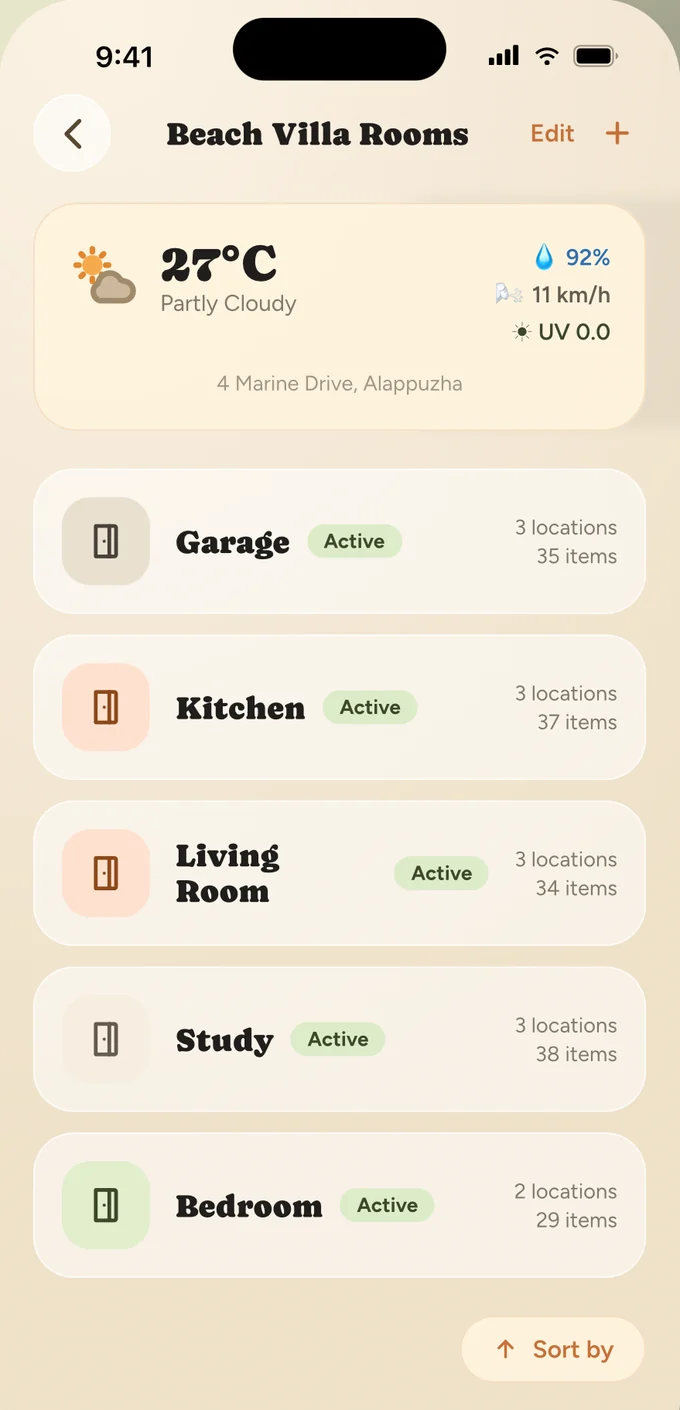
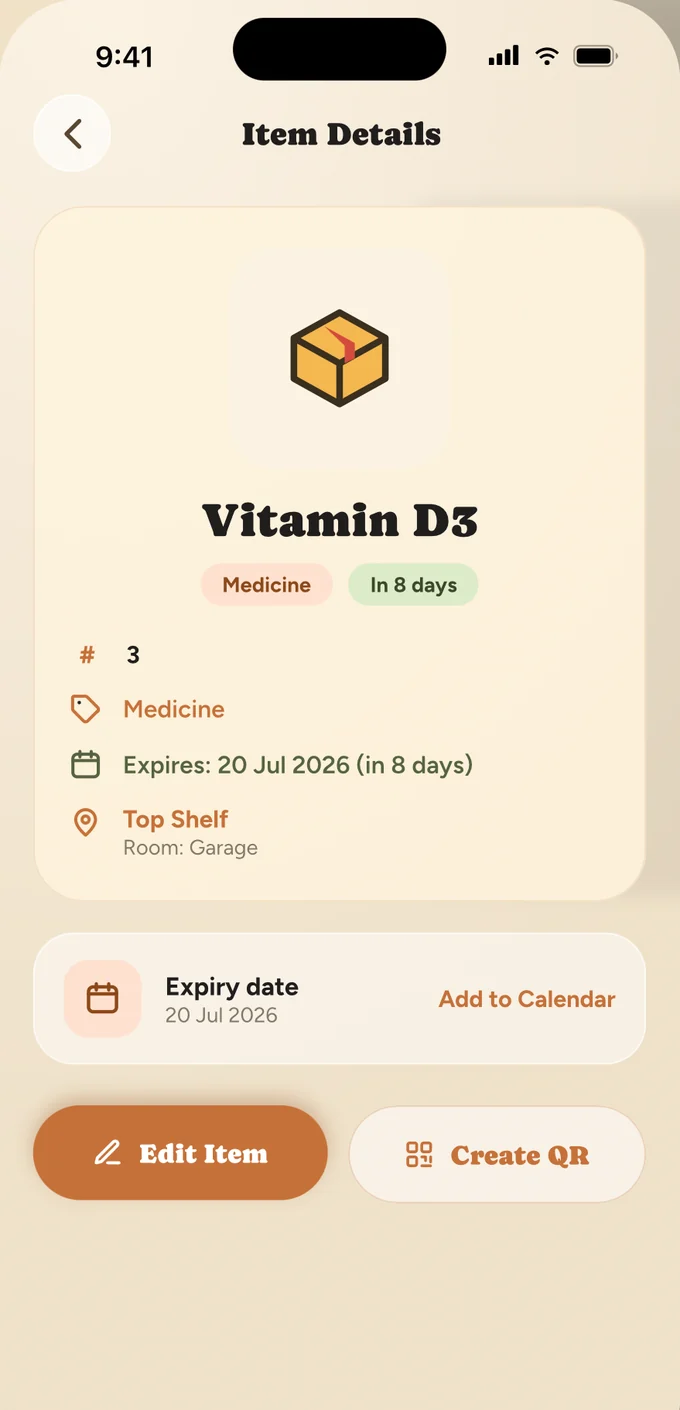
Four levels. Then you stop thinking about it.
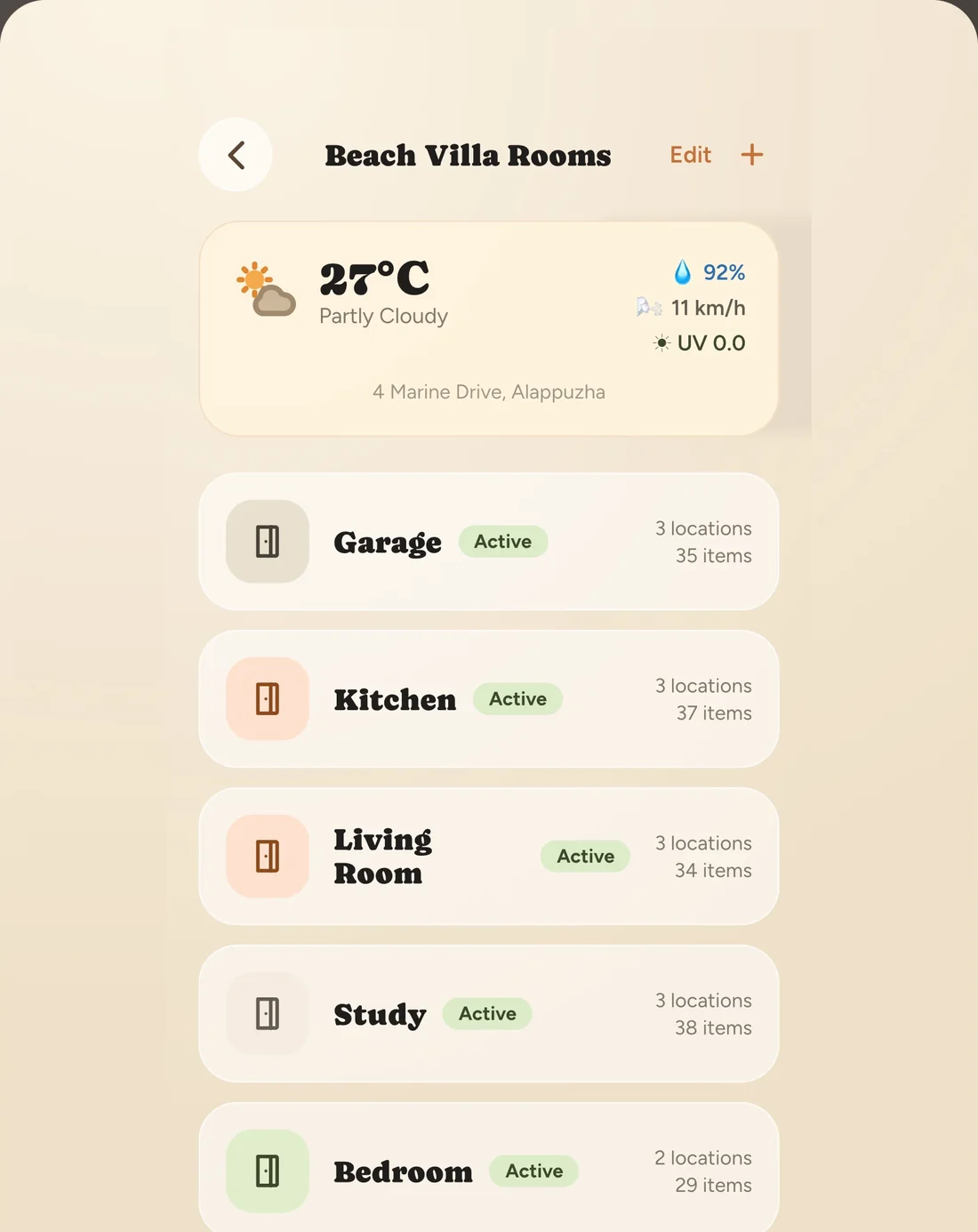
Beach Villa
HOMEKitchen
ROOMTop Shelf
LOCATIONHome
The flat, the parents’ place, the storage unit you pay for and forget.
Room
Kitchen, garage, study — the thing you say out loud when someone asks where.
Location
The actual shelf, drawer, crate or freezer basket. This is where the label goes.
Item
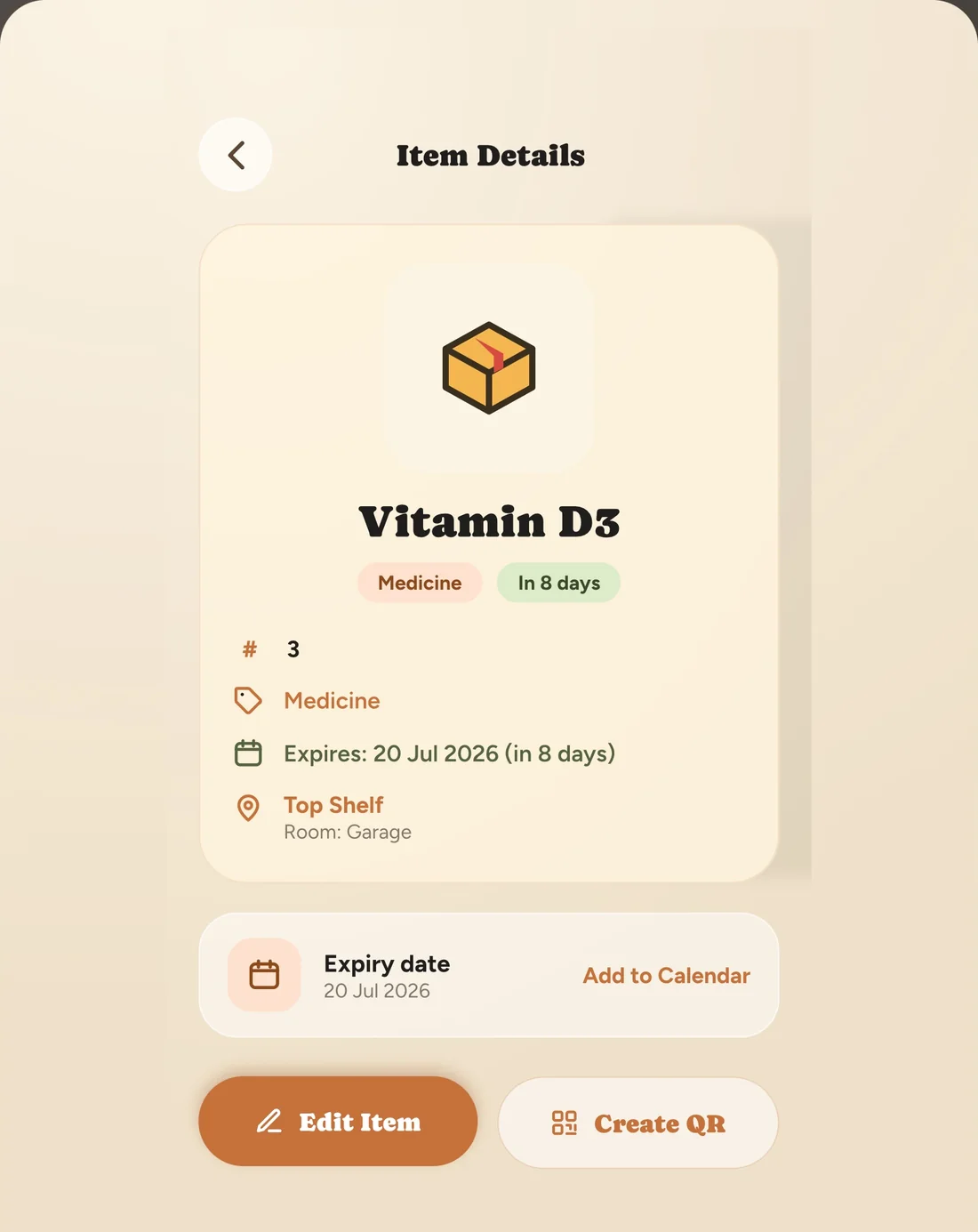
Quantity, photo, tags, expiry and warranty — and its own QR code.
Everything in its place.
QR-coded items
Generate a code for any item or location and scan it to land straight on quantity, photo and history.
Four-level hierarchy
Home → Room → Location → Item. Shallow enough to keep current, deep enough to actually find things.
iCloud sync
Inventory and settings move between your iPhone, iPad and Watch through your own private iCloud.
Apple Watch app
Check what you have and where from your wrist — useful halfway down a supermarket aisle.
Expiry reminders
Dates on perishables and medicine, with nudges a month, a week, two days and a day out.
Search, lists, export
Search everything at once, build lists, and import or export the whole inventory as a file.
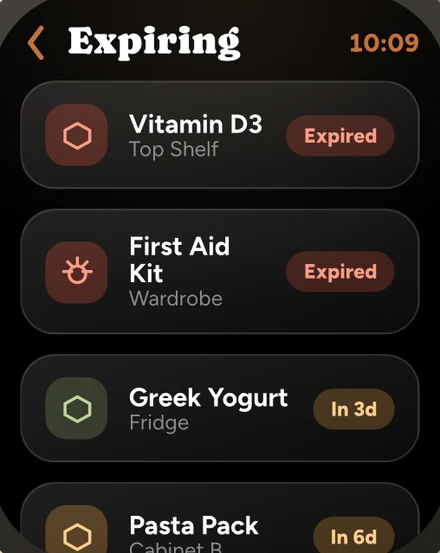
APPLE WATCH + SIRI
Hands full? Just ask.
The Watch app answers the question you actually have — do I already own this, and where is it — without unlocking anything.
- “How many items do I have?”
- “What’s expiring soon?”
- “Find my laptop.”
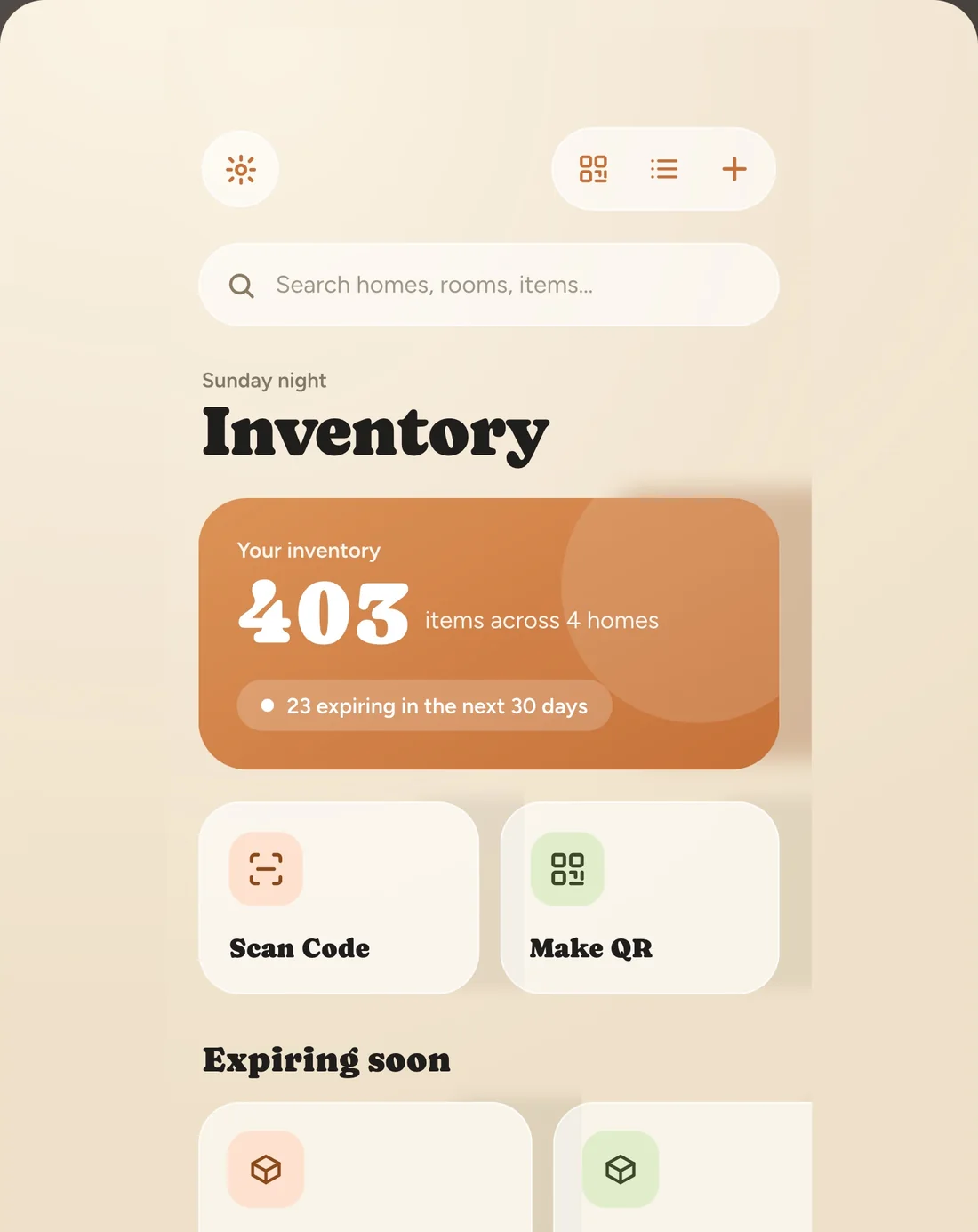
Bigger screen, same shelf.
The same inventory on iPad, with room to breathe — and the same iCloud behind it, so a label you print at the desk scans on the phone in the garage.
Start free. Go unlimited when you outgrow it.
Free
ForeverEnough to inventory one home.
- One home, with up to 5 rooms
- 5 locations per room, 20 items per location
- Unlimited QR scanning and code generation
- Photos, tags and quantities on every item
- Expiry reminders and notifications
- Search, smart lists and export
Pro
Or once, for good.
Monthly, yearly, or once for good — priced for your region on the App Store.
- Unlimited homes, rooms, locations and items
- Advanced iCloud sync and backup
- Calendar integration for expiry dates
- Every future platform feature included
What’s being built next.
Android app
The full experience on Android, with cross-platform syncing.
Home Screen widgets
Quick actions, expiring items and richer Siri from the Home and Lock Screen.
The Smart Data update
Barcode scanning to auto-fill items, low-stock alerts with shopping lists, warranty tracking.
Collaborative sharing
Share a home with family or flatmates, plus a lending tracker for what you have loaned out.
Intelligence & polish
Photo tagging that categorises items, natural-language search and care insights.
Power-user workflows
Insurance values, PDF reports, a moving-container mode and maintenance logs.
Label one drawer today.
You’ll do the rest of the house by the weekend. Everyone does.
Download on the App Store